


Free System Checker Tool
Free System Checker Tool
Download our free PC diagnostics tool to instantly scan your hardware, drivers, security settings, and gaming configuration. Generate a detailed report you can share with tech support or use for troubleshooting.
✓ Free Download — No Registration Required
Download System Checker v3.2Windows 10/11 • Portable • Run as Admin
What Does It Scan?
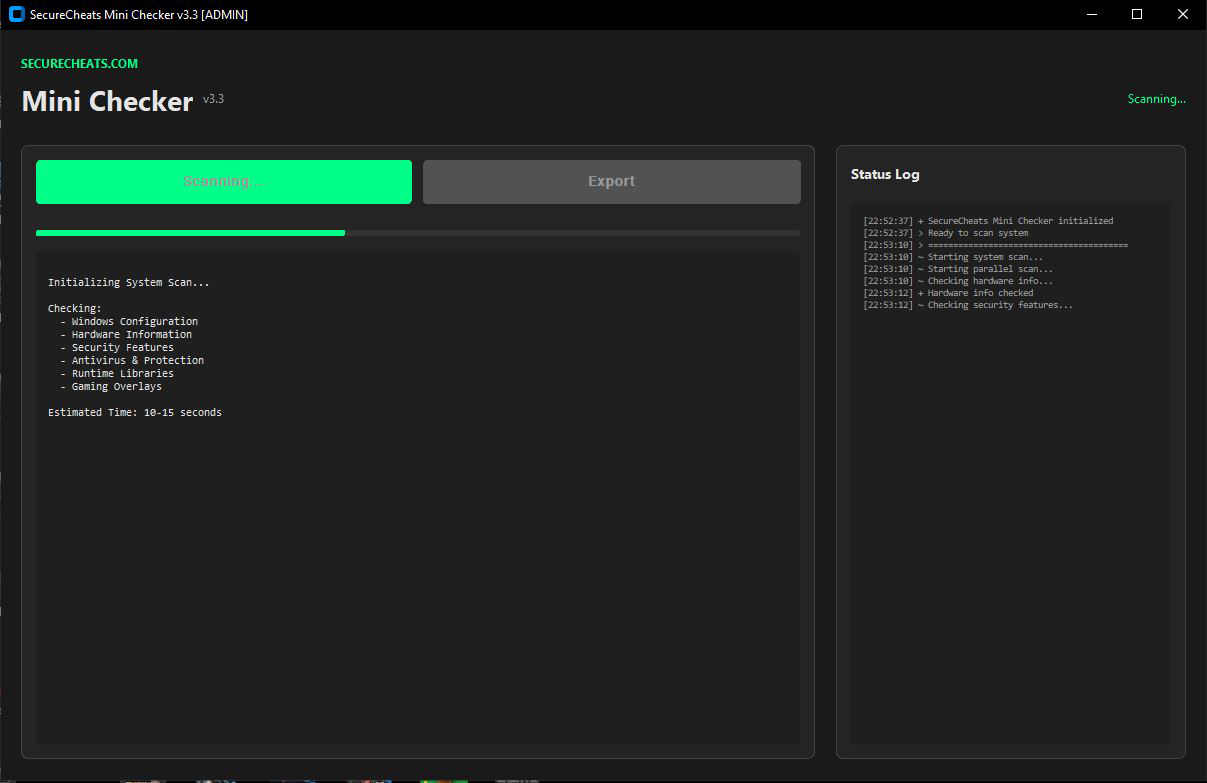
The System Checker runs a comprehensive diagnostic of your Windows PC and generates a clean, organized report covering:
Hardware Detection
Motherboard manufacturer and model, BIOS/UEFI version and mode, CPU identification, GPU model, total RAM capacity.
GPU Drivers
Graphics card driver version and installation date. Helps identify outdated drivers causing performance issues or crashes.
Security Settings
Secure Boot status, TPM detection, BitLocker encryption, virtualization (VT-x/AMD-V), Hyper-V, and Windows Firewall.
Runtimes & Libraries
DirectX versions (9, 10, 11, 12) and all Visual C++ Redistributables (2005 through 2022). Essential for game compatibility.
Antivirus Status
Windows Defender status and third-party antivirus detection. Know exactly what security software is running on your system.
Gaming Overlays
Detects Discord, Steam, NVIDIA GeForce Experience, Xbox Game Bar, OBS Studio, MSI Afterburner, and RivaTuner overlays.
Sample Report
Here's what a System Checker report looks like:
===========================================================================
                  SECURECHEATS SYSTEM CHECKER REPORT
===========================================================================
[ OPERATING SYSTEM ]
  Version ............. Microsoft Windows 11
  Feature Update ...... 23H2
  Build ............... 22631.2715

[ HARDWARE ]
  Motherboard ......... ASUSTeK PRIME H310-PLUS
  BIOS Version ........ 0401
  BIOS Mode ........... UEFI
  RAM ................. 16 GB

[ GRAPHICS ]
  GPU 1 ............... NVIDIA GeForce RTX 3070
    Driver Version .... 32.0.15.6094
    Driver Date ....... 08/13/2024

[ SECURITY ]
  [+] Secure Boot ...... On
  [+] TPM .............. 2.0
  [-] BitLocker ........ Not Enabled
  [+] Virtualization ... Enabled

[ C++ REDISTRIBUTABLES ]
  [+] Visual C++ 2015-2022
  [+] Visual C++ 2013
  [+] Visual C++ 2012
  [+] Visual C++ 2010

[ DIRECTX ]
  [+] DirectX 12 ....... Installed
  [+] DirectX 11 ....... Installed

[ GAMING OVERLAYS ]
  [+] Discord .......... Installed
  [-] Xbox Game Bar .... Disabled
  [+] Steam Overlay .... Enabled
===========================================================================
How to Use
- Download — Click the download button above to get the latest version from GitHub.
- Run as Administrator — Right-click the file and select "Run as administrator" for full system access.
- Click Scan — Hit the "Scan System" button and wait 15-20 seconds.
- Export or Copy — Use the Export or Copy buttons to save or share your report.
Why We Built This
When users contact our support team, the first thing we need is detailed system information. Instead of asking users to manually check their specs, security settings, and installed runtimes, we built this tool to generate everything in one click.
We're releasing it free for anyone to use — whether you're troubleshooting game crashes, checking driver versions, or just want to know what's running on your system.
Privacy & Safety
The System Checker is designed with privacy in mind:
- No internet connection — The tool works entirely offline
- No data collection — Nothing is transmitted or stored remotely
- No installation — Portable executable, delete it when you're done
- No background processes — Runs only when you launch it
- Open for inspection — View the source on GitHub
Antivirus False Positives
Some antivirus programs may flag this tool as suspicious. This is a false positive caused by the PyInstaller packaging method, not actual malware.
The System Checker has been verified clean by all major antivirus vendors including Windows Defender, Norton, Kaspersky, Malwarebytes, ESET, Avast, AVG, BitDefender, CrowdStrike, and Sophos.
If your antivirus blocks the download, see our Installation Guide for instructions on adding an exception.
Frequently Asked Questions
What does the System Checker scan?
The System Checker scans your hardware (motherboard, CPU, GPU, RAM), GPU driver version and date, security settings (Secure Boot, TPM, BitLocker, virtualization), Windows version and build, DirectX versions (9-12), C++ Redistributables (2005-2022), antivirus status, and gaming overlays (Discord, Steam, NVIDIA, Xbox Game Bar, OBS, MSI Afterburner).
Is the System Checker free?
Yes, the System Checker is completely free to download and use. No registration, subscription, or payment required.
Why does my antivirus flag the download?
The tool is built with PyInstaller, which some antivirus programs flag as suspicious because malware authors also use this packaging method. This is a false positive. The tool has been verified clean by Windows Defender, Norton, Kaspersky, Malwarebytes, and all major antivirus vendors.
Does the System Checker collect my data?
No. The System Checker does not connect to the internet, does not transmit any data, and does not collect personal information. It only reads your system information and displays it locally on your screen.
Do I need to install the System Checker?
No installation required. The System Checker is a portable executable. Just download, run as administrator, and scan. You can delete it when you're done.
What versions of Windows are supported?
The System Checker supports Windows 10 and Windows 11. Run as Administrator for full functionality and accurate detection of all system features.
SecureCheats is rated Excellent on Trustpilot
More from SecureCheats
- System Status — Check current availability and detection status
- Guides — Tutorials and walkthroughs
- Contact Support — Get help from our team
